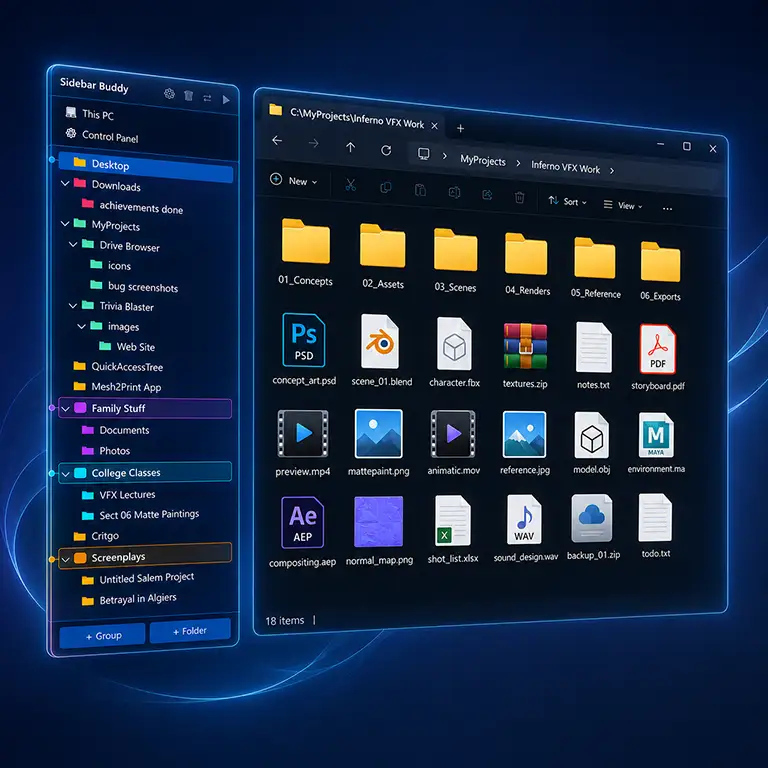
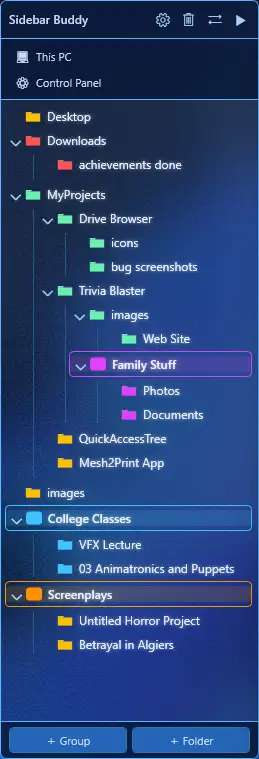
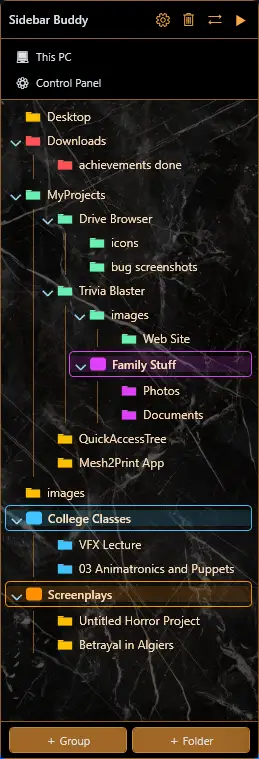
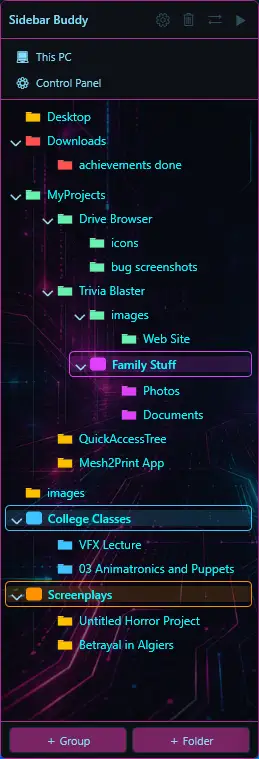
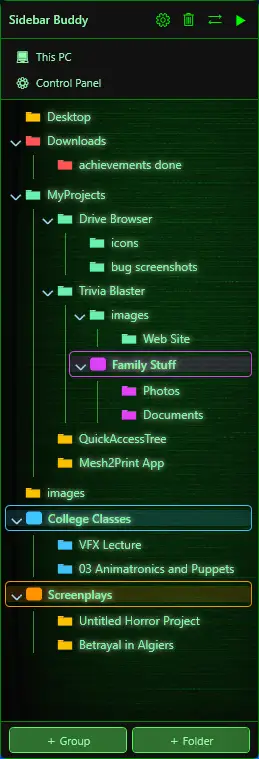
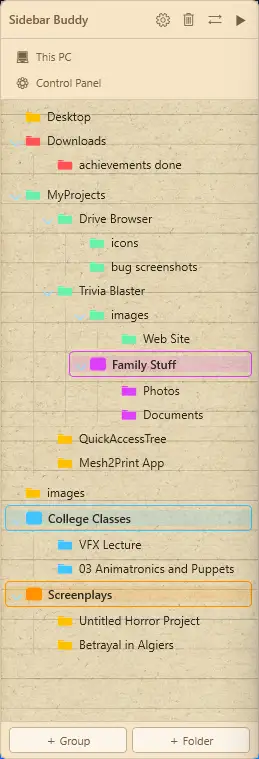
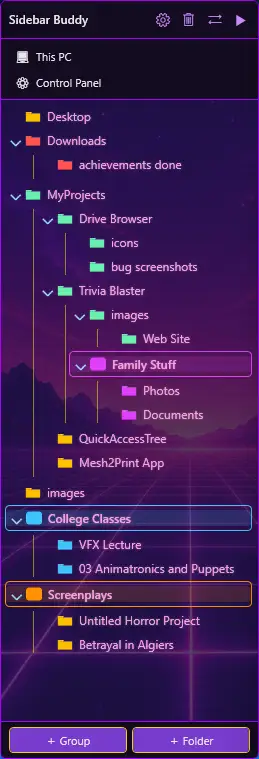
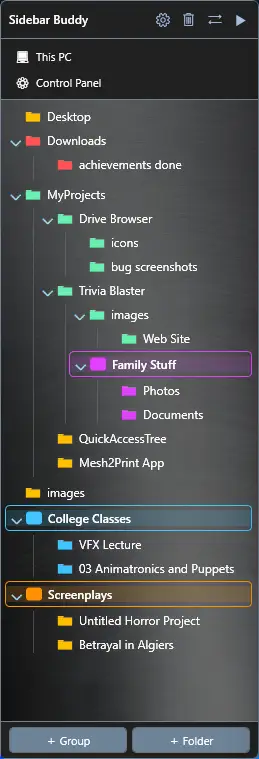
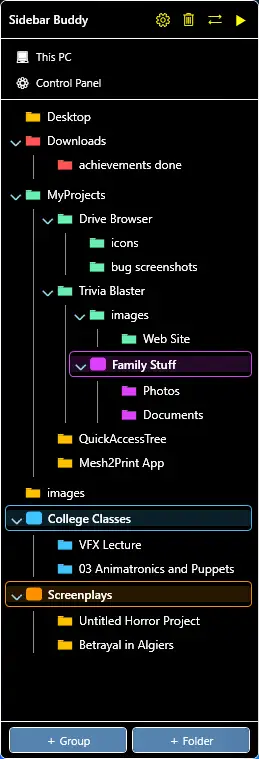
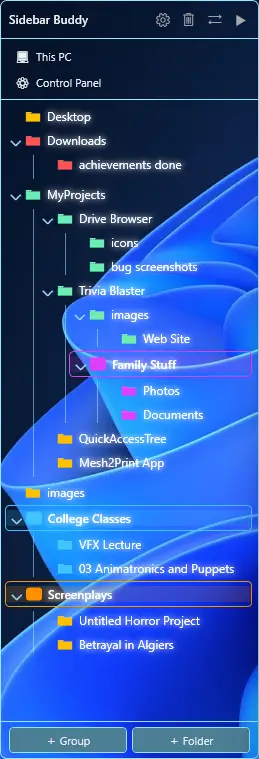
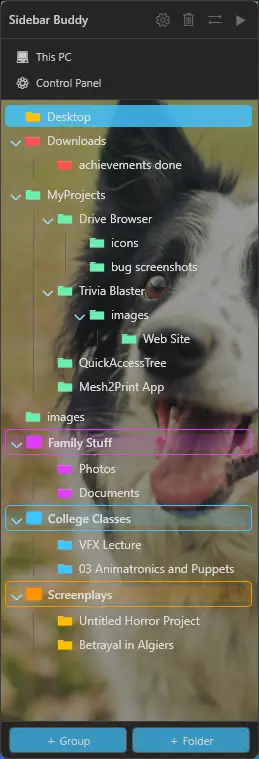
Sidebar Buddy snaps your custom folder tree right alongside Windows Explorer - organized by you, color-coded, grouped, and always one click away.
No credit card. $10 one-time after trial.
Sidebar Buddy stays out of your way and shows up exactly when you need it.

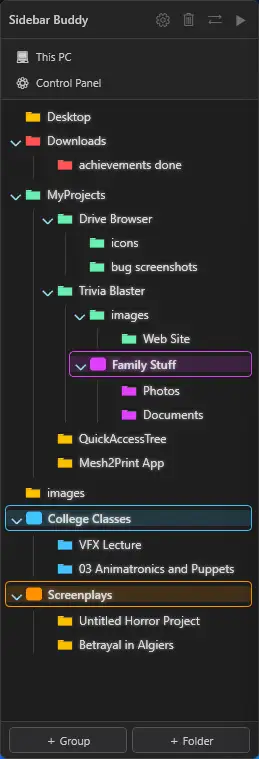
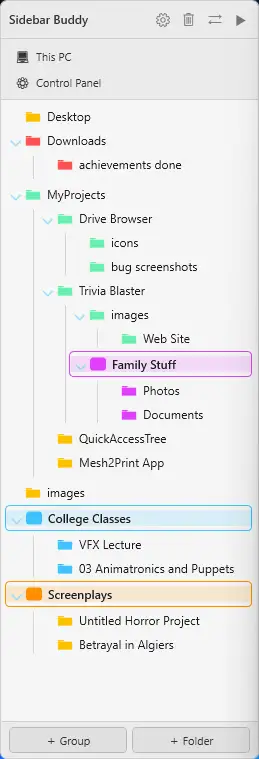
Arrange bookmarks into a real hierarchy. Create labeled groups - Work, Personal, Projects - and drag folders anywhere inside them. Your layout saves automatically.

Tag any folder with a custom color. Enable cascade mode and every child folder automatically inherits its parent's hue - the whole tree stays scannable at a glance.
The sidebar floats directly alongside your Explorer window and follows it as you move it. Click any folder and Explorer navigates in place - no new windows, no tab juggling.
Keep the sidebar visible always, or set it to slide away when Explorer loses focus. A 20 px peek tab snaps it back instantly. Dock left or right - your choice.
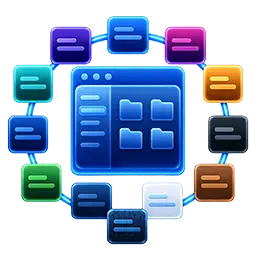
Frosted Glass, Mica, Neon Cyber, Terminal, Synthwave, Paper, Brushed Metal, High Contrast, Clear - each with hand-tuned textures, transparency, and glow presets. Plus Dark, Light, and a Custom skin where you upload any image.
Ctrl+click to select multiple folders at once. Change color, reset color, or remove them all in a single action - no need to repeat the same operation folder by folder.

One-click shortcuts to This PC and Control Panel, docked to the top or bottom of the sidebar. Each Quick Link hover color matches your active skin automatically.
Adjust sidebar transparency and text glow intensity with live preview - no restart, no OK button, just instant feedback.
A single slider scales the entire sidebar - icons, folder names, everything - from 75% to 175%. Great for high-DPI screens or anyone who prefers larger, easier-to-read text.

Sidebar Buddy has no telemetry, no cloud sync, and no account required during the trial. Your folder list never leaves your machine. Runs fully offline after activation.
Twelve skins ship out of the box. The Custom skin lets you go further - upload any image and dial in transparency, glow, and highlight color.
Dark
Light
Frosted Glass
Mica
Neon Cyber
Terminal
Paper
Synthwave
Brushed Metal
High Contrast
Clear
Custom - Add Your Own Image!
Run the quick installer - no admin rights needed - and Sidebar Buddy appears in your system tray, ready to go.
The sidebar snaps alongside automatically. Your current Quick Access folders appear instantly.
Add folders, drag to reorder, create groups, pick colors, choose a skin. Everything saves as you go.
Got questions? We've got answers.
No. Sidebar Buddy is a shortcut manager - it only stores the path to your folders, never the folders themselves. It reads folder names to display them in the sidebar and opens Windows Explorer to the correct location when you click one. Your files are never moved, renamed, copied, or deleted by Sidebar Buddy under any circumstances.
Yes, completely safe. Sidebar Buddy installs into your personal user folder and needs no admin rights, so it makes no system-wide changes. During setup you can optionally add a desktop shortcut and have it launch on startup - both are up to you and can be changed later in Settings. To remove it, run Uninstall Sidebar Buddy from the Start menu, or use Apps & features in Windows Settings.
The app will prompt you to activate your license before it launches. Your folder list and settings are preserved - nothing is deleted. Enter your license key to pick up right where you left off.
Yes. Any folder Windows can see - local drives, mapped network drives, USB, OneDrive, Dropbox - works as a bookmark. If the drive is offline when you click it, Windows Explorer handles the error the same way it always would.
No. Sidebar Buddy runs as a standard user application and requires no elevated permissions.
None. Your folder list lives in a single JSON file on your machine. Nothing is ever transmitted to any server. The only internet connection the app makes is during license activation - and that's a one-time check.
Windows 10 (64-bit, version 1903 or later) and Windows 11. It requires .NET 8, which the installer bundles - no separate download needed.
Easy fix - just turn off the Windows Explorer navigation pane. In Explorer, click View → Show → Navigation pane to uncheck it. On Windows 10, go to View → Navigation pane → Navigation pane. Sidebar Buddy was built to replace it, so once you hide the default pane you get a cleaner layout with more room for your files.
The sidebar snaps alongside your Explorer window — it appears just outside its left or right edge, not inside it. If Explorer is maximized (filling the entire screen), there is no visible space for the sidebar and it ends up just off the edge of your display where you can't see it.
Fix: Restore Explorer to a smaller window by pressing Win + Down arrow or clicking the restore button in Explorer's top-right corner. Once Explorer is not full-screen, the sidebar will snap into place automatically. You can also double-click the Sidebar Buddy tray icon to force it to appear immediately.
If Explorer is already windowed and the sidebar still doesn't appear, check Settings → Dock Side. The default is Right, meaning the sidebar appears to the right of Explorer. If your Explorer window is pushed to the far right of your screen, try moving it left to make room.
We have a team of friends and testers hammering Sidebar Buddy around the clock, so chances are we already know about it and a fix is on the way. Step one: make sure you're on the latest version. Open Settings → Account to see your current version and check for updates. Most bugs are squashed within a release or two. If you're already up to date and the issue persists, tell us about it - we want to hear from you! As a thank-you, we'll send you a free license key plus a second key for a friend.
Nothing is wrong, and your download is safe. The Sidebar Buddy installer is digitally signed - click More info and you'll see the verified publisher Dante Rinaldi (the developer). Windows SmartScreen may still briefly show a blue "Windows protected your PC" screen because SmartScreen also builds up a "reputation" as more people download an app, and brand-new releases simply haven't been seen enough times yet. To continue, click More info, then Run anyway. This prompt fades on its own as more people install.
Prefer to skip the prompt entirely? Install Sidebar Buddy from the Microsoft Store - it's the exact same app, same code, same version, verified by Microsoft, so SmartScreen never appears.
One note: the download on this site is always the latest version, so it may occasionally be a step ahead of the Store while a new release is in review.
Try every feature free. Pay only when you're hooked.
Secure checkout via PayPal. Windows 10/11 required.
Are you a student? We believe good tools shouldn't be gated behind a paycheck. Submit a request from your .edu email address and we'll send you a free full license — on us.
A few other tools we've built that you might find handy.

Instantly search all your unplugged external drives, discs & tapes - without connecting them. Drive Browser indexes your storage media so you can browse folders, find files, and preview images and videos even when the drive is sitting on a shelf. Powered by smart image search.
Visit drivebrowser.com →
Repair broken 3D meshes and export clean .3MF files straight to Bambu Studio, PrusaSlicer, or Cura. A standalone desktop app - no plugins, no Python. Just drop in a file and go.
Visit mesh2print.com →
A globally-ranked competitive trivia game. Answer timed questions across ten categories and watch your worldwide rank shift in real time on every answer. Free to play right in your browser.
Visit triviablaster.com →